HFTFeed.Client 1.1.0: zero dependencies, allocation-free ticks
Our .NET SDK is on NuGet with zero dependencies, allocation-free ticks, async start and stop, and opt-in reconnect. 1.0.x can no longer reach the feed, so upgrade today.
HFTFeed.Client 1.1.0, the official .NET SDK for the HFTFeed FIX 4.4 market-data feed, is now
live on NuGet. We rebuilt the client on a plain socket and the feed
server's own FIX codec. The result is a single net8.0 assembly with no NuGet dependencies. Its receive path can run
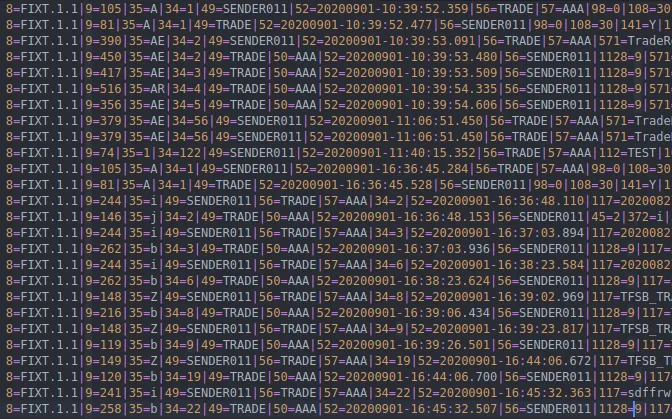
without allocating, and its FIX session handles heartbeats and test requests correctly.
dotnet add package HFTFeed.Client --version 1.1.0
Upgrade now if you run 1.0.x
1.0.x can no longer reach the feed. Version 1.1.0 connects to the feed server in London LD4 on port
9030.
Updated 17 September 2026: this post originally named the feed server's IP address, because
fix-server.hftfeed.com did not resolve to it at the time. The name has had its own record since 17 September 2026
and is what every client should be configured with — see
HFTFeed.Client 1.1.2.
For most applications the upgrade is a version bump. The client's own API keeps its names, signatures and meaning:
both constructors, Start(), Stop(), GetSymbols(), Subscribe() and Unsubscribe() with their All
variants, the On… callbacks, ConnectionStatus, SubscribedSymbolsCount, TPS and TPM. Update the package and
rebuild.
Two things went away together with the old networking and sign-in libraries:
HFTFeedClientno longer derives from NetCoreServer'sTcpClient, and it is nowsealed. If you called inherited members such asConnect(),Disconnect(),Reconnect()orSend(), useStart()/StartAsync()andStop()/StopAsync()instead, or setAutoReconnect.IsConnectedandPortare still there, andHostreplaces the inheritedAddress.- The public helper classes
MessageBuilderandAuthorizationServiceare gone. The client builds its own FIX messages and signs in for you.
If your code passes an explicit endpoint to the (email, password, host, port) constructor, switch to the
two-argument constructor. It uses the default host and port.
What's new
No dependencies
1.0.x pulled in three extra NuGet packages for networking, sign-in and token handling. 1.1.0 has none. The
client uses System.Net.Sockets.Socket directly and compiles in the same FIX codec the feed server runs, so the
SDK and the server always parse FIX the same way. The package adds nothing to your dependency graph that could
conflict with the packages your application already uses.
An allocation-free receive path
The client parses ticks with spans, straight out of the socket buffer, with no per-tick strings. Set
ReuseTickObject = true and the client passes the same Md instance to every OnNewTick call, so receiving a tick
allocates nothing at all. The SDK's test suite parses 100,000 snapshots and fails if even one byte is allocated.
Because the instance is reused, copy any values you need to keep before your callback returns. Also leave OnFixMsg
unset in production. It builds a string for every frame and is meant for diagnostics only.
A FIX session that behaves
Start()returns as soon as the symbol list arrives. 1.0.x first sat through about three seconds of internal timeouts.- The client answers the server's TestRequest, so the server no longer drops quiet sessions.
- Heartbeats go out when the session is idle. Set the interval with
HeartbeatSeconds(default 30; the server clamps it to 5–60). Stop()sends a FIX Logout before it closes the connection, and it is safe to call more than once.
Async lifecycle
StartAsync(CancellationToken) and StopAsync() join Start() and Stop(). The client also implements
IDisposable, so a using declaration ends the session for you.
Opt-in reconnect
Set AutoReconnect = true, and after an unexpected drop the client reconnects with jittered backoff (0.5 s, doubling
up to 30 s). It then logs on again and restores your subscriptions once per connection. Reconnect is off by
default. A Logout from the server is deliberate, so it never triggers a reconnect.
Snapshots on demand
RequestSnapshot(symbolKey) asks for a single snapshot of one symbol without subscribing to it. The snapshot
arrives on OnNewTick like any other tick.
Richer ticks and live rates
Each Md now carries BidSize, AskSize and EntryTimeUtc alongside Bid and Ask. The sizes are 0 when
the feed does not carry them for a symbol.
TPS and TPM now count ticks over the trailing second and minute, so a read just after a second boundary no
longer shows 0 while ticks are flowing.
Errors you can act on
The new OnError event receives every error the client handles internally, including exceptions thrown by your own
callbacks. Those exceptions can no longer stop the read loop. Start() and StartAsync() throw typed exceptions:
HFTFeedAuthException: sign-in failed, or the account has no active plan.HFTFeedLogoutException: the server refused or ended the session.Textcarries the server's reason, andIsTooManySessionstells you the account is already connected elsewhere.HFTFeedTimeoutException: the connection or the FIX handshake did not complete in time.
Connection details at hand
Connected and IsConnected, Host, Port and ClientId report the current session. If your network blocks port
9030, new HFTFeedClient(email, password, useAlternatePort: true) connects on port 9031 to the same feed.
Quick start
Sign in with the email and password of your hftfeed.com account. The account needs an active plan.
using HFTFeed.Client;

using var client = new HFTFeedClient("you@example.com", "your_password")
{
    AutoReconnect   = true,   // reconnect and resubscribe after a drop
    ReuseTickObject = true,   // one Md instance for every tick
};

client.OnError = e => Console.Error.WriteLine(e.Message);

try
{
    await client.StartAsync();   // sign in, log on, load the symbol list
}
catch (HFTFeedLogoutException ex) when (ex.IsTooManySessions)
{
    Console.Error.WriteLine("This account is already connected elsewhere.");
    return;
}

// Subscribe by SymbolKey; show SymbolName to people.
var names = client.GetSymbols()
                  .ToDictionary(s => s.SymbolKey, s => s.SymbolName);

client.OnNewTick = t =>
{
    var name = names.GetValueOrDefault(t.Symbol, t.Symbol);
    Console.WriteLine($"{name} {t.Bid}/{t.Ask}");
};

client.Subscribe("1013");   // a SymbolKey from GetSymbols()
Console.ReadLine();

await client.StopAsync();
The feed allows one live session per account. Always call Stop() or Dispose() on a client before you start
another one with the same credentials. If several parts of your application need ticks, share them from one client
inside your process.
Get it
- Package: HFTFeed.Client on nuget.org
- Documentation: the .NET SDK guide covers events, symbols, subscriptions, reconnect and error handling in detail.
If you run 1.0.x, upgrade today: dotnet add package HFTFeed.Client --version 1.1.0.